Flutter WebAssembly: A New Era of Browser Performance
Category:: Mobile Development


For years, the honest answer to “Should we build our web product in Flutter?” was “Only if you have to.” Bundles were heavy, first loads were slow, and the old HTML renderer never quite matched the polish of Flutter on mobile.
That answer has changed. WebAssembly builds have been on the stable channel since Flutter 3.22. The HTML renderer has been retired. Google’s 2026 roadmap also aims to make Wasm the default for the web.
Together, these make Flutter web a serious option for one kind of product in particular: the logged-in app. Think admin panels, internal tools, analytics consoles, and the SaaS dashboard your customers keep open all day.
This post covers where Flutter stands on the web in 2026, where it fits, where it still falls short, and how to get your first build live.
How Flutter Runs in the Browser Today
Flutter does not translate your widgets into HTML elements. It draws every pixel onto a canvas, just like it does on a phone screen. That is why a Flutter app looks identical in Chrome, Safari, and Firefox, and identical to its mobile twin.
As the official renderer docs explain, there are two build modes and two renderers:
| Build Mode | Dart Compiles to | Renderer | Approx. Renderer Size |
|---|---|---|---|
| Default (flutter build web) | JavaScript | CanvasKit | 1.5 MB |
| WebAssembly (flutter build web – – wasm) | WebAssembly | Skwasm, with CanvasKit as fallback | 1.1 MB |
Skwasm is the more compact option, and it can render on a separate thread. The Flutter team reports noticeably better start-up time and frame performance with it.
If a visitor’s browser lacks the WebAssembly garbage collection support Skwasm needs, the app quietly falls back to CanvasKit, so it still runs everywhere.
The release rhythm is steady too. Flutter ships a stable version every quarter, and 3.47 landed in August 2026. For teams planning a multi-year product, that predictability matters as much as raw speed.
Is Flutter Ready for Enterprise Dashboards and SaaS?
For logged-in, data-heavy products, yes. For public, content-led websites, not really. The difference comes down to what each product needs from the browser.
Where Flutter fits well:
- Rich, interactive screens. Charts that redraw live, drag-and-drop boards, multi-panel layouts, and complex forms play to Flutter’s strengths. Canvas rendering keeps animations smooth even with dense data on screen.
- One product across web, mobile, and desktop. If your customers check a SaaS dashboard on a laptop and approve requests from a phone, one Dart codebase can serve both with the same business logic and design system.
- Pixel-perfect brand consistency. Enterprise buyers notice when the web app and mobile app feel like different products. With Flutter, they don’t.
- Users who stay a while. A slightly heavier first load matters little when someone opens a tool at 9 AM and works in it all day.
Where Flutter still falls short:
- SEO. Content painted onto a canvas is hard for search engines to read. Keep your marketing site, blog, and pricing pages on an HTML-first stack, and use Flutter behind the login.
- First load on slow networks. Even the leaner Wasm build ships a rendering engine. A lightweight React or plain HTML page will still appear faster on a first visit over a weak connection.
- Package gaps. Some packages on pub.dev still don’t support the web, or the Wasm build specifically. Audit your dependencies before you commit.
- Browser-native habits. Text selection, right-click menus, browser find, and screen readers need deliberate work. Flutter’s semantics layer helps with accessibility, but you have to test it, not assume it.
In short, treat Flutter as an application platform that runs in the browser, not a website builder.
The Business Case for Flutter
The strongest argument for Flutter web development is not speed or looks. It is how much work you don’t repeat.
-
Lower Build and Maintenance Cost
One team, one codebase, and one set of tests cover web, Android, and iOS. A new feature ships everywhere in the same sprint.
-
Faster Iteration
Stateful hot reload now works on the web, so developers see UI changes in seconds without losing app state.
-
Safer Code at Scale
Dart’s sound null safety and strong typing catch whole classes of bugs before they reach production, which matters in large enterprise codebases.
-
A Reusable Design System
Build your components once as widgets, and every screen on every platform stays consistent.
-
Installable Apps
Flutter web builds can ship as Progressive Web Apps so that users can pin your product to their desktop or home screen without an app store.
For a product team weighing a separate React web app against a shared Flutter codebase, the savings compound with every release.
Flutter: From First Build to Production
Getting a Flutter app into the browser takes minutes. Making it production-ready takes a few deliberate choices.
- Install the Flutter SDK and confirm your setup with flutter doctor. Chrome is the default web device for local testing.
- Create and run a project. flutter create admin_dashboard, then flutter run -d chrome opens it locally with hot reload.
- Check your packages. Confirm on pub.dev that every dependency lists web support. Do this before you design around a package, not after.
- Build for release. Run flutter build web –wasm for the WebAssembly build, or flutter build web if a key package doesn’t support Wasm yet. The output lands in build/web as static files.
- Deploy to any static host. Firebase Hosting, Netlify, Vercel, GitHub Pages, AWS S3 with CloudFront, or your own Nginx server all work.
Three settings trip teams up in production:
- Routing. Rewrite unknown paths to index.html, or deep links will return 404 errors.
- Sub-paths. If the app lives at /app/ rather than the domain root, build with –base-href /app/.
- Multi-threading. Skwasm renders on a separate thread only when the page is cross-origin isolated. Serve the Cross-Origin-Opener-Policy and Cross-Origin-Embedder-Policy headers, and test any third-party scripts, since these headers can block them.
Final Word
In 2026, Flutter is ready for the web where it matters most to enterprises: behind the login. If you are building an internal tool, a client portal, or a SaaS dashboard that also needs a mobile app, it deserves a place on your shortlist. Pair it with an HTML-first marketing site, audit your packages early, and ship the Wasm build where you can.
As a ThemeMakkerFlutter App Development Company, ThemeMakker can help you turn your next big idea into a powerful digital experience. We build scalable, high-performance web and mobile apps with seamless functionality, consistent design, and smarter development workflows that help your business move forward.

Frequently Asked Questions
-
Q:: What is Flutter web?
A:: It is Google’s Flutter framework compiled to run in a browser. The same Dart code that powers your mobile app renders your web app, drawn onto a canvas through CanvasKit or Skwasm.
-
Q:: Is Flutter used for web development?
A:: Yes, mainly for app-like products such as dashboards, admin panels, and internal tools. It is a weaker choice for content sites that depend on search traffic.
-
Q:: What are the benefits of Flutter web development?
A:: One codebase across web and mobile, consistent design everywhere, hot reload on the web, Dart’s type safety, and installable PWA support.
-
Q:: How to start Flutter web development?
A:: Install the Flutter SDK, run flutter create, then flutter run -d chrome. Check that your packages support the web before building core features on them.
-
Q:: How to deploy Flutter web apps?
A:: Run flutter build web –wasm and upload the build/web folder to any static host. Add a rewrite to index.html for routing and cross-origin isolation headers for multi-threaded rendering.
Recommended Posts
97.9%
Projects Delivered On-Time

5,000+
Creatives & Agencies Trust Us.

Development Service?
We can provide at affordable price.


Awwwards, Design Nominees, CSSLight, Best CSS and more





THEMEFOREST
Exclusive Author
Modern Admin Dashboard Templates for Developers & Businesses
Discover professionally designed admin dashboard templates for modern web applications. Our responsive dashboards are built with Bootstrap, React, Vue.js, Angular, Tailwind CSS, Laravel, Next.js, Node.js, ASP.NET, WordPress, WebFlow, and HTML.


Feature themes
Boost your customer interactions with Templates that spark growth.
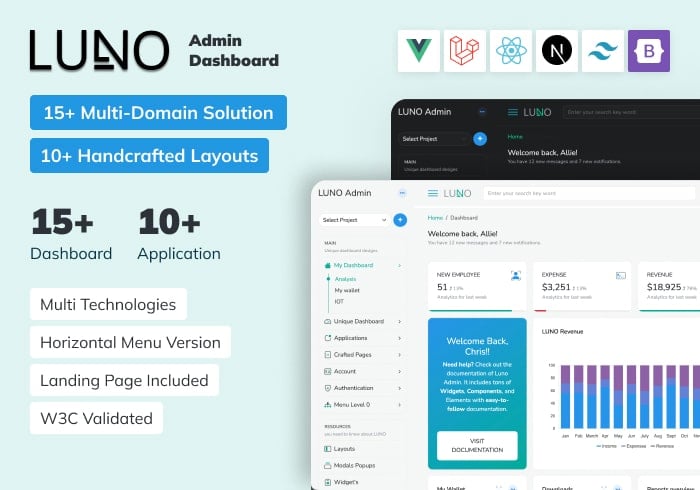
Luno – React, Vue, Laravel, Tailwind, Nextjs Admin Dashboard Template
ReactJs, Vue.js, Laravel, Bootstrap, Tailwind, NextJs
$19.00

ALUI | Bootstrap 5, ReactJS, Angular, VueJS, Laravel Admin Template
ReactJS, Angular, Vue.js, Laravel, Bootstrap
$19.00