Agentic AI for Business Apps: How to Design Agentic AI Workflows
Category:: Artificial Intelligence (AI)

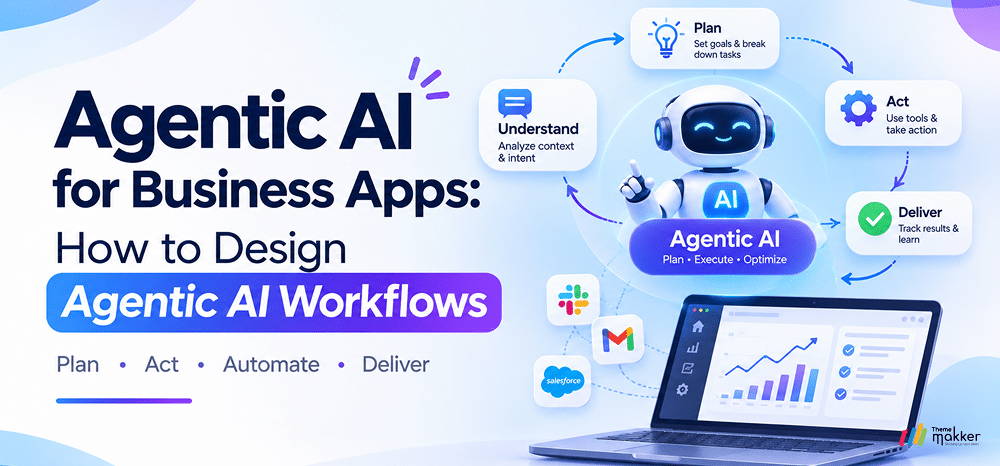
Almost every product roadmap now carries an “add AI” item, and the conversation has moved well past chat widgets. Teams want software that does the work, not just software that talks about it.
That is the promise of agentic AI: systems that take a goal, plan the steps, use your app’s tools and data, and finish a task with limited supervision.
The promise is real, but so is the risk of bolting an agent onto a product where a simple form or a well-placed button would serve users better.
This guide explains what agentic AI is, where AI agents genuinely fit in a web or mobile product, how to build them safely, and when to leave them out.
What is Agentic AI?
Agentic AI refers to AI systems that act toward a goal rather than respond to a single prompt. A large language model sits at the core, but it is wrapped in a loop: the agent reads the request, decides on the next step, calls a tool (an API, a database query, a search, a payment service), checks the result, and repeats until the job is done or it needs a human.
Four ingredients separate an agent from a plain model call:
- A goal: A defined outcome, such as “reschedule this customer’s delivery,” not just “answer this question.”
- Tools: permissioned access to the functions your app already exposes.
- Memory and context: the user’s history, account state, and progress on the current task.
- A judgment loop: the ability to plan, observe results, and correct course.
In a business app, that means the agent works inside your product’s rules. It can only touch what you let it touch, and it should leave a clear record of everything it did.
AI agent vs. Chatbot vs. Copilot
The terms get blurred in marketing, so here is a practical split:
| Criteria | Chatbot | Copilot | AI Agent |
|---|---|---|---|
| What it does | Answers questions from a script or knowledge base | Suggests drafts, completions, or next steps inside the user’s workflow | Plans and executes multi-step tasks across tools |
| Who acts | The user, after reading the answer | The user, after accepting each suggestion | The agent, with human approval at checkpoints |
| Typical Example | FAQ help widget | Drafting an email reply in a CRM | Processing a refund end to end |
The key difference is who presses the button. A chatbot informs, a copilot assists, and an agent acts. That shift in responsibility is exactly why agents need more design care than either of the others.
Where AI Agents Fit: Agentic AI Use Cases
Agents earn their place when a task is multi-step, repetitive, rule-bound but messy in its inputs, and currently eats human time. Strong candidates in web and mobile products include:
-
Customer Support Resolution
Instead of linking to a returns policy, the agent checks order status, confirms eligibility, issues the return label, updates the ticket, and escalates edge cases to a person.
-
Onboarding and Setup
In a SaaS app, an agent can import a spreadsheet, map fields, flag duplicates, and configure default settings, turning a 40-minute setup into a short review.
-
Operations and Back office
Invoice matching, expense categorization, inventory reorder suggestions, and reconciling records between two systems.
-
Scheduling and Logistics
Rebooking appointments, coordinating deliveries, or finding a slot that works across several calendars.
-
Sales and CRM Hygiene
Enriching leads, logging call notes, drafting follow-ups, and updating pipeline stages.
-
In-app Case Preparation
In a mobile banking or insurance app, gathering account details and documents to prepare a claim or dispute before a human reviews it.
The common thread in these agentic AI examples: the outcome is clear, success is checkable, and mistakes can be caught before they cost much.
How to Design AI Agentic Workflows?
The most reliable AI agentic workflows are narrower than most teams expect. Start with one job, not a general-purpose assistant.
-
Map the Current Process
Write down every step a person takes today, the systems they touch, and the decisions they make. That map becomes the agent’s plan.
-
Expose Tools, not Raw Access.
Wrap the actions the agent needs in small, well-described API functions with strict inputs. A function like issue_refund(order_id, amount) beats handing over database credentials.
-
Set Checkpoints
Decide which steps the agent can take alone and which need a human tap, typically anything involving money, deletion, or messaging a customer.
-
Design the UI Around the Work
Show what the agent is doing and what it plans next, and let users pause, edit, or undo. On mobile, a compact progress card with a single approve button often works better than a long chat thread.
-
Measure Outcomes
Track task completion rate, escalation rate, time saved, and error rate, and review failed runs every week.
Agentic AI security
An agent that can act can also act wrongly. Agentic AI security has to be designed in from the first sprint, not patched on after launch.
-
Least Privilege
Give each agent only the tools and data scopes its job requires, tied to the signed-in user’s own permissions.
-
Prompt Injection Defense
Treat everything the agent reads (emails, uploaded files, web pages, support tickets) as untrusted data, never as instructions. Keep sensitive actions behind confirmations that injected text cannot trigger.
-
Human-in-the-Loop for High-Impact Actions
Payments, account changes, bulk deletes, and outbound messages should require explicit approval.
-
Audit Logs
Record every tool call, input, and output so you can trace and reverse what happened.
-
Rate Limits and Spending Caps
Prevent runaway loops and surprise API bills.
-
Data Handling
Mask personal data where possible, and check your model provider’s retention terms against your compliance obligations.
The Bottom Line
Agentic AI is most valuable when it removes real work from a well-understood process, not when it is added for novelty. Start narrow, give the agent safe tools, keep humans in control of high-stakes steps, and measure the results. Done that way, AI agents become a feature your users rely on rather than one they work around.
Transform your business applications with Thememakker’s AI development expertise. From identifying practical agentic AI use cases to integrating intelligent agents into web and mobile products, we help businesses build scalable, autonomous solutions that improve efficiency and user experiences.

Frequently Asked Questions
-
Q:: What is agentic AI in a business app?
A:: An agentic AI feature is a component that takes a goal from a user or system, plans the steps, and completes them by calling the app’s own tools and data, within permissions you define. Think of a feature that resolves a task rather than one that simply answers a question.
-
Q:: How is an AI agent different from a chatbot or a copilot?
A:: A chatbot answers, a copilot suggests, and an agent acts. Chatbots and copilots leave the final action to the user; an agent carries out multi-step work itself, usually with human approval at key checkpoints.
-
Q:: Which tasks suit an AI agent in a web or mobile product?
A:: Multi-step, repetitive tasks with a clear definition of done that can tolerate a review step: support resolutions, and can tolerate a review step: support resolutions, onboarding and data imports, scheduling, back-office reconciliation, and CRM updates.
-
Q:: How do you add an AI agent to an existing app?
A:: Pick one high-volume workflow, expose the actions it needs as secure, narrowly scoped APIs, connect a language model with tool calling, and add human checkpoints and logging. Launch to a small group of users first, and expand scope only after the metrics hold up.
-
Q:: When is an agent the wrong choice?
A:: When a deterministic rule or a single button already does the job; when errors are costly and hard to reverse; when you lack clean APIs or reliable data; when regulations require a human decision; or when users value speed and predictability over flexibility. In those cases, a copilot or plain automation is the better fit.
Recommended Posts
97.9%
Projects Delivered On-Time

5,000+
Creatives & Agencies Trust Us.

Development Service?
We can provide at affordable price.


Awwwards, Design Nominees, CSSLight, Best CSS, Themeforest and more






THEMEFOREST
Exclusive Author
Modern Admin Dashboard Templates for Developers & Businesses
Discover professionally designed admin dashboard templates for modern web applications. Our responsive dashboards are built with Bootstrap, React, Vue.js, Angular, Tailwind CSS, Laravel, Next.js, Node.js, ASP.NET, WordPress, WebFlow, and HTML.


Feature themes
Boost your customer interactions with Templates that spark growth.
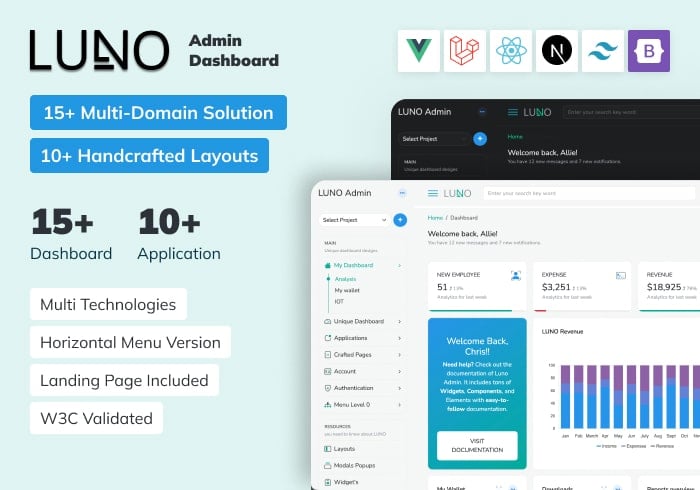
Luno – React, Vue, Laravel, Tailwind, Nextjs Admin Dashboard Template
ReactJs, Vue.js, Laravel, Bootstrap, Tailwind, NextJs
$19.00

ALUI | Bootstrap 5, ReactJS, Angular, VueJS, Laravel Admin Template
ReactJS, Angular, Vue.js, Laravel, Bootstrap
$19.00
