Can Webflow AI Replace Web Design Agencies? A Practical Breakdown
Category:: CMS


Every agency owner has had some version of this conversation in the last year. A client sends a link to an AI tool and asks, “Couldn’t this build our site in ten minutes? Why does your quote say six weeks?”
It’s a fair question, and the Webflow AI site builder makes it sharper. Unlike many AI generators that produce throwaway prototypes, it creates a real Webflow project that your team can keep building on. So the issue is no longer whether AI can produce a website. It’s which parts of an agency’s process it actually replaces, and which parts it makes more valuable.
This guide breaks down how the tool works, where it saves real hours, where it falls short, and how agencies can build it into their workflow without undercutting their own value.
What is the Webflow AI Website Builder?
Webflow AI is a set of AI tools built into the Webflow platform. The headline feature is the site builder, which Webflow first launched in February 2025 and expanded in early 2026 to create multi-page sites with structure, styles, and animations.
You describe your business, audience, and goals in a prompt. The tool then generates a site map, page layouts, placeholder copy and images, and a matching visual theme. According to Webflow’s product page, every generated site is built on Flowkit, Webflow’s modular CSS framework, and comes with a reusable design system rather than one-off styling.
That last point is what separates the Webflow AI website builder from many competitors. The output is not a locked template or a code export. It opens in the normal Webflow Designer, with real classes, a style guide page, and editable components.
Webflow AI Features in 2026 Beyond the Site Builder
The site builder is only the starting point. The broader toolset includes:
- AI assistant: A conversational helper inside the Designer that can generate sections, edit layouts, write copy, and answer questions about Webflow.
- AI code components: describe a feature, such as an ROI calculator, and the Assistant builds it as a component. Since Webflow Conf 2026, these can also be edited visually on the canvas.
- Copy and CMS generation: first drafts, content variants, and CMS collections, some still in beta.
- SEO and AEO help: suggestions for metadata and for content that AI search tools can cite.
Together, these Webflow AI features in 2026 cover much of a project’s first draft. The question for agencies is what happens after it.
How Webflow AI Website Creation Works: Step by Step
Webflow’s help documentation outlines a short, guided flow:
- Start a new site from the Webflow dashboard and choose the AI site builder option.
- Describe the site. Explain what the business does, where it’s based, who it serves, and what the site should achieve.
- Review the proposed structure. The tool suggests pages and the sections on each. You can rename, add, or remove them before anything is built.
- Choose a theme. Adjust fonts, colors, and overall style, or let the AI pick based on your description.
- Generate the site. It produces up to five pages, such as Home, About, Services, Blog, and Contact, with layout, placeholder copy, images, and basic animations.
- Refine in the Designer. Edit global styles on the Style guide page, generate extra pages, and use the AI Assistant for further changes.
The whole process takes minutes. The result quality depends heavily on the prompt. A vague description like “a site for a law firm” produces generic sections.
A detailed brief covering services, audience, tone, and calls to action produces something much closer to a usable first draft.
That’s the most useful way to think about Webflow AI website creation: it compresses the gap between a brief and a clickable draft from days to an afternoon.
What the Webflow AI Site Builder Can Replace
For agencies, the honest answer is: a lot of the early-stage grind. These are the tasks where the tool earns its place:
- Low-fidelity wireframes. Instead of sketching a site map and grey-box layouts in Figma, teams can generate a clickable structure in the browser and react to it.
- First-round concepts. Running three or four prompts with different tones gives a client real options to compare, rather than abstract mood boards.
- Design system setup. Typography scales, color variables, and spacing classes arrive pre-built in Flowkit, saving hours of repetitive setup on every project.
- Placeholder content. Lorem ipsum disappears. Draft headlines and body copy, even if they get rewritten, make layouts easier to judge.
- Small-budget projects. For a simple brochure site, a one-page event site or an internal microsite, the generated output plus a day of refinement may be all the client needs.
- Routine page builds. Adding a new service page or landing page that follows existing patterns is faster with the AI Assistant than building from scratch.
In practice, this can remove a significant share of the hours between kickoff and the first client review. Those were rarely the hours clients valued most anyway.
What Webflow AI Can’t Replace
The tool generates a competent starting point. It does not know your client’s business, competitors, customers, or politics. These parts of agency work remain firmly human:
-
Discovery and Strategy.
Stakeholder interviews, audience research, positioning and conversion goals shape every decision. A prompt can only reflect what someone already worked out.
-
Brand Expression
Generated designs look clean but familiar. Distinctive layouts, custom illustration, art direction, and motion that feels unmistakably on-brand still need a designer.
-
Information Architecture at Scale
Five pages is the limit for a single generation. A 60-page site with nested services, locations, and a complex CMS needs deliberate planning.
-
Real Copywriting
Placeholder copy reads fine but says little. Messaging that differentiates, persuades, and holds up to legal review is a separate skill.
-
Technical SEO and Accessibility
Redirect maps for migrations, schema, page speed tuning, and WCAG audits require expert checks.
-
Integrations and QA
CRM hooks, analytics, consent tools, cross-browser testing, and launch checklists don’t generate themselves.
-
Client Management
Feedback rounds, approvals, training, and ongoing support build long-term relationships.
Is Webflow AI suitable for every type of website?
No. It works best for marketing sites, small business sites, portfolios, landing pages, and early-stage startup sites.
It’s a weaker fit for large enterprise sites, regulated industries, heavy ecommerce, multilingual builds with complex localization, or anything requiring bespoke interactions. For those, use it to speed up a phase of the project, not to define the project.
How Agencies Should Use Webflow
The smartest agencies are moving the tool into the middle of their process, after discovery and before craft:
- Run discovery as usual, then turn the brief into a structured prompt.
- Generate two or three directions and review them with the client in week one.
- Hand the chosen direction to designers, copywriters, and developers to make it distinctive and robust.
It also changes how to sell. Hours spent on setup shrink, so price around outcomes, strategy, and quality rather than build time. A fast “AI-accelerated starter” package can win smaller clients without discounting premium work.
The Webflow AI site builder doesn’t replace an agency. It replaces the slowest, least valued part of one.
Want a website that combines Webflow’s flexibility with expert development? Thememakker delivers custom Webflow development services to help businesses build responsive, scalable, conversion-focused websites. From tailored designs to seamless integrations, we turn your digital vision into a high-performing online experience.

Frequently Asked Questions
-
Q:: What is Webflow AI?
A:: It’s a set of AI tools inside Webflow, including the site builder, a conversational AI Assistant, code components, and copy and SEO helpers.
-
Q:: How does Webflow AI work?
A:: You describe what you need in plain language. It generates pages, layouts, styles, or copy as real Webflow elements you can edit in the Designer.
-
Q:: What is Webflow AI website creation?
A:: It’s the process of generating a multi-page site, up to five pages at once, with a design system, from a single prompt.
-
Q:: What is the process of using Webflow AI for web design?
A:: Describe your site, review the suggested structure, pick a theme, generate the site, then refine it in the Designer.
-
Q:: How to use AI for website creation?
A:: Start with a detailed brief, use AI for structure and first drafts, then have people refine strategy, brand, copy and QA.
-
Q:: Is Webflow AI suitable for all website types?
A:: It suits marketing, portfolio and small business sites best. Large, regulated or highly custom builds still need a full agency process.
Recommended Posts
97.9%
Projects Delivered On-Time

5,000+
Creatives & Agencies Trust Us.

Development Service?
We can provide at affordable price.


Awwwards, Design Nominees, CSSLight, Best CSS, Themeforest and more






THEMEFOREST
Exclusive Author
Modern Admin Dashboard Templates for Developers & Businesses
Discover professionally designed admin dashboard templates for modern web applications. Our responsive dashboards are built with Bootstrap, React, Vue.js, Angular, Tailwind CSS, Laravel, Next.js, Node.js, ASP.NET, WordPress, WebFlow, and HTML.


Feature themes
Boost your customer interactions with Templates that spark growth.
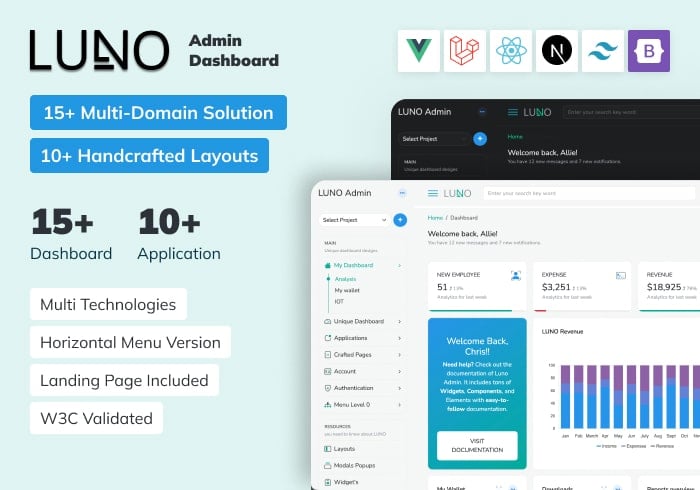
Luno – React, Vue, Laravel, Tailwind, Nextjs Admin Dashboard Template
ReactJs, Vue.js, Laravel, Bootstrap, Tailwind, NextJs
$19.00

ALUI | Bootstrap 5, ReactJS, Angular, VueJS, Laravel Admin Template
ReactJS, Angular, Vue.js, Laravel, Bootstrap
$19.00
