DevSecOps Best Practices for Secure Software Delivery in 2026
Category:: Modern Technology


Software development teams must deliver new features quickly while protecting applications, customer information, and business systems from security threats.
In 2026, traditional security checks performed only before release are no longer sufficient. Vulnerabilities can enter applications through source code, external libraries, cloud configurations, and deployment processes.
DevSecOps addresses this challenge by integrating security into everyday development and operations.
Instead of treating security as a separate review, teams automate checks throughout the software delivery process and collect real-time security telemetry to identify risks as they emerge.
By connecting security monitoring directly to automated development workflows, organizations can detect problems earlier, respond faster, and release software with greater confidence.
What is DevSecOps and Why Does it Matter in 2026?
DevSecOps combines development, security, and operations, making security a shared responsibility across the software lifecycle. It embeds security checks into planning, coding, testing, deployment, and ongoing monitoring instead of waiting until the application is ready for release.
Understanding what DevSecOps is also requires recognizing the importance of automation. Developers need timely information about vulnerabilities, suspicious activity, and configuration errors while they are working.
Automated checks provide this information without requiring security teams to review every change manually.
In 2026, applications increasingly depend on cloud services, third-party libraries, APIs, and AI-powered capabilities.
Each dependency introduces potential risks. Integrating security into development workflows helps organizations identify weaknesses before they reach production.
Real-time security telemetry strengthens this approach by collecting and reporting information from automated scans, application tests, infrastructure settings, and runtime monitoring systems. Teams can use these signals to prioritize issues based on potential impact.
How Real-Time Security Telemetry Strengthens a DevSecOps Pipeline
A DevSecOps pipeline is an automated sequence that moves code from development through testing and deployment. Embedding security telemetry into this process allows teams to evaluate each change and make informed decisions before software reaches users.
1. Source Code and Dependency Checks
Security begins when developers write or submit code. Automated scanners can identify exposed passwords, unsafe coding patterns, and known vulnerabilities in external libraries.
Results should appear directly in the development workflow, allowing developers to address problems before they spread into later stages.
2. Automated Testing and Security Validation
During testing, security checks examine application behavior, identify common weaknesses, and verify that key protections work as intended.
Teams can configure the pipeline to stop releases when serious issues appear, while lower-risk findings remain visible for review and correction.
3. Deployment and Infrastructure Monitoring
Before deployment, automated checks can review access permissions, cloud settings, container configurations, and infrastructure definitions.
Once an application is running, monitoring tools collect information about unusual requests, access attempts, and unexpected changes. These signals help teams investigate risks beyond the initial release.
4. Continuous Feedback and Incident Response
Telemetry becomes more valuable when security findings reach the people responsible for fixing them.
Integrating alerts with development dashboards and incident management systems helps teams understand what happened, identify affected components, and respond promptly. Historical findings also reveal recurring weaknesses that deserve attention.
DevSecOps Tools that Enable Real-Time Security Monitoring
Choosing the right DevSecOps tools is essential to collect meaningful security information without overwhelming development teams.
Organizations should choose tools that integrate with their existing code repositories, build systems, cloud environments, and monitoring platforms.
1. Code and Dependency Scanning
Static code analysis examines source code without running the application. Dependency scanning checks external packages against known vulnerability databases.
Secret detection identifies credentials accidentally committed to repositories. Together, these capabilities help developers identify common risks early in development.
2. Application and Infrastructure Testing
Dynamic application testing examines a running application for weaknesses. Infrastructure scanning reviews cloud resources and configuration files for unsafe settings.
Container scanning checks packaged applications for vulnerable components. These tools provide complementary coverage across the software delivery system.
3. Security Information and Monitoring
Centralized monitoring platforms collect security events from applications, cloud services, and development systems. Correlating these events helps security teams recognize suspicious patterns and investigate incidents more efficiently.
When evaluating DevSecOps tools, organizations should consider integration quality, reporting clarity, scanning speed, and the ability to prioritize serious findings. A smaller set of well-connected tools can deliver better results than numerous disconnected products.
Building a DevSecOps Platform Around Connected Security Data
A DevSecOps platform brings development workflows, automated security checks, and monitoring information into a coordinated environment. It makes security findings accessible and actionable throughout software delivery.
An effective platform connects code repositories, build automation, testing tools, cloud infrastructure, and security monitoring systems. It should provide a consistent view of vulnerabilities, their severity, affected applications, and remediation progress.
For example, if a dependency scan identifies a critical vulnerability, the platform can associate the finding with the relevant application and notify its development team.
If runtime monitoring later detects suspicious activity involving that application, security teams can investigate both signals together.
Integration also reduces repeated manual work. Developers can receive findings in familiar workflows instead of switching between multiple dashboards.
Security teams get a broader view of recurring risks, while managers can track remediation progress and identify areas that need additional investment.
However, a platform should not automatically block every reported issue. Poorly configured checks can generate excessive alerts and delay legitimate releases. Clear severity levels, practical exceptions, and regular rule reviews help balance protection with delivery speed.
DevSecOps Best Practices for Reliable CI/CD Security
Strong DevSecOps best practices make security consistent, measurable, and manageable across development teams.
1. Automate Checks at Appropriate Stages
Run code and dependency checks early, validate applications during testing, and review infrastructure before deployment. Add runtime monitoring after release. This layered approach helps identify different risk categories without relying on a single security assessment.
2. Prioritize Findings by Business Risk
Not every vulnerability requires the same response. Consider its severity, exposure, potential consequences, and availability of a fix. Address critical issues first and define clear deadlines for resolving other findings. This keeps teams focused on problems that matter most.
3. Protect Credentials and Access
Store credentials in approved secret management systems, not in source code or configuration files. Apply permissions according to job responsibilities and review access regularly. Automated checks should identify exposed credentials before they become a wider security incident.
4. Measure Security Performance
Track meaningful indicators such as critical vulnerabilities discovered before release, time taken to resolve findings, recurring issues, and unsuccessful security checks. Use these measurements to improve processes rather than punish developers for reporting problems.
5. Review and Improve Continuously
Threats, applications, and dependencies change over time. Regularly update scanning rules, review monitoring alerts, test incident response procedures, and learn from past incidents. Security automation must evolve alongside the software it protects.
Common Challenges When Embedding Security Telemetry
Although automation improves visibility, implementation requires careful planning. Too many alerts can distract developers, while disconnected systems may produce incomplete or duplicate information.
Slow security checks can also increase build times and discourage teams from following established processes.
Start with the most important applications and highest-risk security checks. Establish clear ownership for findings, define when a release should stop, and tune detection rules using actual results. Integrate additional checks gradually as teams gain experience.
Organizations should also protect telemetry itself. Security logs may contain sensitive information about systems, users, and application behavior.
Access controls, suitable retention periods, and careful handling of confidential data help prevent monitoring systems from creating new risks.
The objective is not to collect every available signal. The goal is to gather reliable information that helps teams detect meaningful threats, understand their impact, and act without unnecessary delays.

Conclusion
In 2026, security must operate alongside development and deployment rather than as a final approval step.
Embedding real-time telemetry into automated CI/CD workflows gives organizations earlier visibility into vulnerabilities, configuration problems, and suspicious activity.
A well-designed DevSecOps approach combines appropriate scanning tools, connected monitoring, clear response procedures, and shared responsibility.
By implementing these capabilities incrementally, businesses can improve application security while maintaining efficient software delivery.
The long-term value comes from turning security findings into practical decisions. When developers and security teams receive useful information in time, they can fix weaknesses earlier, reduce avoidable risks, and deliver more dependable software.
Thememakker helps businesses integrate security into CI/CD pipelines through DevSecOps strategies, automation, and continuous monitoring. Strengthen application security, identify vulnerabilities early, and accelerate software delivery with reliable, secure development practices.
Frequently Asked Questions
-
Q:: What are the best automation tools for DevSecOps?
A:: Popular choices include GitHub Advanced Security, GitLab, Snyk, SonarQube, and Checkmarx. Each supports different security needs, from code analysis to dependency checks. Choose tools based on your development environment, integration requirements, budget, and reporting capabilities.
-
Q:: What are the leading DevSecOps practices?
A:: Leading practices include automated code scanning, dependency checks, secure credential management, infrastructure reviews, and continuous monitoring. Teams should prioritize critical vulnerabilities, assign clear ownership of fixes, measure remediation time, and regularly update security rules based on emerging risks.
-
Q:: What is the difference between DevOps and DevSecOps?
A:: DevOps emphasizes collaboration between development and operations teams to deliver software efficiently. DevSecOps extends this approach by integrating security throughout development, testing, deployment, and monitoring, making security a shared responsibility rather than a separate final review.
-
Q:: DevSecOps: How to seamlessly integrate security into DevOps?
A:: Begin by adding automated security checks to existing development workflows. Scan code and dependencies early, test applications before release, and continuously monitor production systems. Establish clear response procedures, prioritize important findings, and gradually expand coverage without unnecessarily slowing delivery.
Recommended Posts
97.9%
Projects Delivered On-Time

5,000+
Creatives & Agencies Trust Us.

Development Service?
We can provide at affordable price.


Awwwards, Design Nominees, CSSLight, Best CSS and more





THEMEFOREST
Exclusive Author
Modern Admin Dashboard Templates for Developers & Businesses
Discover professionally designed admin dashboard templates for modern web applications. Our responsive dashboards are built with Bootstrap, React, Vue.js, Angular, Tailwind CSS, Laravel, Next.js, Node.js, ASP.NET, WordPress, WebFlow, and HTML.


Feature themes
Boost your customer interactions with Templates that spark growth.
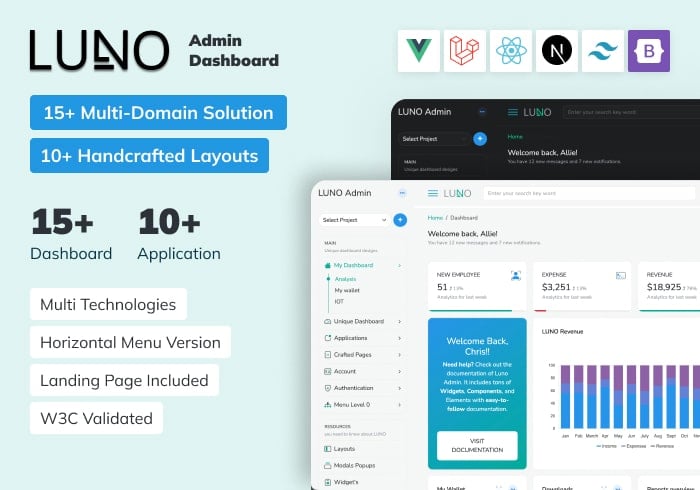
Luno – React, Vue, Laravel, Tailwind, Nextjs Admin Dashboard Template
ReactJs, Vue.js, Laravel, Bootstrap, Tailwind, NextJs
$19.00

ALUI | Bootstrap 5, ReactJS, Angular, VueJS, Laravel Admin Template
ReactJS, Angular, Vue.js, Laravel, Bootstrap
$19.00