How to Build AI-Powered Mobile Apps with Flutter in 2027
Category:: Mobile Development


Mobile applications are becoming more capable as artificial intelligence helps them understand user needs, generate useful responses, and adapt to different situations. Flutter offers developers a practical way to combine these capabilities with attractive interfaces and cross-platform apps.
By combining Flutter with artificial intelligence, businesses can create applications that answer questions, recommend products, summarize information, and help users complete tasks with less effort. New approaches, such as Generative UI, also enable interfaces that respond to conversation context rather than relying entirely on fixed screens.
Understanding how these technologies work together can help businesses make informed decisions about product development, user experience, and long-term maintenance.
Understanding Flutter AI and its Role in Mobile App Development
Flutter is a framework developed by Google that lets developers build apps for Android, iOS, web, and desktop with a shared codebase. This approach can reduce duplicated development work while maintaining a consistent experience across supported platforms.
Flutter AI refers to the use of artificial intelligence capabilities within Flutter applications. These capabilities may include conversational assistants, image recognition, content generation, personalized recommendations, and automated support.
For example, a shopping application could use AI to understand a customer’s preferences and recommend suitable products. A healthcare application could help users find relevant information or navigate appointment services. A learning application could explain difficult concepts according to a learner’s questions.
The key distinction is that Flutter provides the app foundation, while AI models and related services provide intelligent capabilities. Developers must connect these elements carefully to deliver accurate responses, protect user information, and maintain reliable performance.
What is Generative UI and Why Does it Matter?
Traditional mobile applications rely on predefined screens, buttons, menus, and forms. Although these elements remain useful, they may not always provide the most direct route to completing a task.
Generative UI, commonly called GenUI, introduces a different approach. Instead of presenting the same interface for every situation, an application can select or create suitable interface elements based on the user’s request and the available information.
Imagine a travel application where a user asks for a weekend itinerary. Rather than returning a long paragraph, the application could present destination cards, estimated expenses, transport options, and a daily schedule.
Similarly, a financial application could display spending categories and relevant summaries after a user asks about monthly expenses.
However, Generative UI does not mean that an AI model should freely control every aspect of an application. Developers should define approved interface components and rules that determine which elements can appear. This provides flexibility while preserving usability, security, and consistent design.
For businesses, the value lies in making applications more responsive to individual needs without requiring a separate screen for every possible interaction.
How the Flutter AI Toolkit Supports AI-Powered Applications
The Flutter AI Toolkit is an open-source collection of tools designed to help developers integrate conversational AI experiences into Flutter applications. It includes interface components that can support features such as chat, sming responses, and the presentation of AI-generated condisplayingbuilding every conversational element from scratch, developers can use these tools as a starting point and adapt them to their application’s requirements.
1. Building Conversational Experiences
A customer service application could use a chat interface to answer common questions, explain product features, or guide customers through troubleshooting steps. The toolkit can help provide the interface, while developers connect it to an appropriate AI service.
2. Displaying Responses as they Arrive
Some AI services generate responses gradually rather than returning the entire answer at once. Supporting this behavior can make conversations feel more responsive and help users understand that their request is being processed.
3. Connecting AI to Application Features
A conversational interface becomes more useful when it can interact with approved application functions. For instance, a retail assistant might retrieve product information or help users locate an order.
These actions require carefully designed connections between the AI service and the application’s existing systems. The toolkit can simplify parts of the interface development process, bt does not automaticaide a complete AI system, business data connections, or security controls.
Developers should also check the current toolkit documentation because available components, integrations, and supported models may change over time.
How to Build AI-Powered Mobile Apps with Flutter
Developing an AI-enabled application requires more than connecting a model to a chat screen. A successful implementation starts with a clearly defined problem and a practical plan to integrate intelligence into the user experience.
1. Identify the Right AI Use Case
Start by determining what users need help accomplishing. Common possibilities include answering questions, generating content, recognizing images, summarizing documents, and recommending relevant products.
Choose a specific problem rather than adding AI simply because it is popular. A focused feature makes it easier to measure whether the application provides meaningful benefits.
2. Design the Application Interface
Create the primary screens, navigation structure, and reusable interface components using Flutter. Consider how users will interact with AI responses, including how they can correct mistakes, request clarification, or return to standard application functions.
If the application uses Generative UI, define which interface elements can be selected for different tasks.
3. Connect an Appropriate AI Model
Select an AI model according to the application’s requirements, response quality, operating costs, and privacy needs. Some applications may use cloud based services, while others mcloud-basedfrom models that run directly on supported devices.
A secure server can manage requests between the mobile application and the AI service. This also helps protect secret credentials and enforce access permissions.
4. Add Conversational and Contextual Features
Use the Flutter AI Toolkit where its components suit the project. Connect the interface to the model and determine how the application should manage conversation history, loading states, errors, and user feedback.
For more advanced GenUI experiences, define approved components and establish rules for presenting them in response to user requests.
5. Test Quality, Security, and Performance
Test the application across different devices, network conditions, and user scenarios. Evaluate whether AI responses are useful, whether the interface remains accessible, and whether errors are handled clearly.
Applications that process personal or business information also need appropriate data protection, access controls, and safeguards against misleading or unsafe responses.
6. Monitor and Improve the Application
After launch, review user feedback, feature adoption, response times, and AI usage expenses. These measurements help identify which features deliver value and where improvements are necessary.
This process makes AI development an ongoing product responsibility rather than a one-time implementation task.
Choosing an AI Mobile App Builder for Faster Development
An AI mobile app builder can help teams create prototypes, generate interface layouts, and develop basic application features with less manual work. These tools may be particularly useful for businesses validating an idea before investing in a fully developed product.
However, different platforms offer different flexibilitvary indevelopment and ready-made components, while others provide code generation or connections to AI services. Businesses should evaluate whether the chosen platform supports their required integrations, custom security standards, and long term maintenance needs.
How Flulong-telong-term Builder Works
FlutterFlow is a visual development platform for creating applications using Flutter. Its AI capabilities can assist with parts of the development process, including generating interface designs or helping users create application elements from instructions, depending on the features available in their current plan.
Developers can use the visual editor to arrange screens, configure navigation, connect data sources, and build application workflows. They can also integrate supported services and use generated Flutter code as part of their development process.
The flutterflow ai app builder approach FlutterFlow AI for teams that want to validate ideas quickly without writing every interface element manually.
Nevertheless, AI generated layouts and workflows sAI-generated review. Complex business rules, specialised integrations, advanced Aspecialized, and security requirements may require additional development expertise.
Businesses should also assess code ownership, export options, platform limitations, and the effort required to maintain their applications as requirements evolve.
Understanding AI App Development Cost
AI app development cost depends on the application’s complexity, the number of AI features, the services involved, and the level of testing required.
A basic application with a conversational assistant may require less development effort than a platform that combines personalised recommendations, documepersonalizedg, external data connections, and dynamically generated interfaces.
Several factors influence the overall budget:
- Application complexity: The number of screens, user journeys, and specialised features affects developspecializedAI model usage: Model providers may charge according to requests, processed information, or other usage measures.
- Backend development: Secure data storage, authentication, business system connections, and server infrastructure add to the project scope.
- Testing and maintenance: Teams must budget for quality assurance, model updates, performance improvements, and ongoing support.
- Development approach: Visual development tools may reduce initial effort, but advanced customisation can still require expecustomizationopers.
Businesses should estimate both initial development expenses and recurring operating costs. A prototype may demonstrate feasibility, but production applications require stronger security, monitoring, testing, and support.
Working with a qualified Flutter appAompany can help businesses assess technical requirements, choose appropriate AI services, and develop a realistic implementation plan.
The most cost-effective solution is not necessarily the cheapest to build. It is the one that meets user needs while keeping performance, maintenance, and operating expenses manageable.
Conclusion
Combining Flutter, AI capabilities, and Generative UI creates opportunities to build mobile applications that respond more effectively to user needs. The Flutter AI Toolkit can simplify conversational interface development, while visual platforms such as FlutterFlow can accelerate prototyping and interface creation.
However, successful AI mobile app development still depends on sound architecture, reliable model selection, secure integrations, and continuous testing. Businesses should start with a clear use case, measure its value, and expand functionality as they better understand user needs.
With the right strategy, Flutter can provide a flexible foundation for applications that combine familiar mobile experiences with more intelligent and adaptable interactions.
Thememakker can help turn your app idea into a powerful digital experience with its Flutter Development Services. Our team builds scalable, user friendly applications tailored user-friendlyess goals, integrating modern AI capabilities to deliver meaningful value to your customers.

Frequently Asked Questions
-
Q:: How to implement AI in Flutter?
A:: Implement AI in Flutter by connecting your application to an AI model through an appropriate service or supported on device solution. Build the interfon-devicege requests securely, handle responses and errors, and test output quality before releasing the feature.
-
Q:: What is Flutter AI?
A:: Flutter AI describes the integration of artificial intelligence capabilities into applications built with Flutter. These capabilities include conversational assistants, content generation, image recognition, and personalised recommendations, enablipersonalizeds to create more useful mobile experiences across supported platforms.
-
Q:: What are the best AI mobile app builders?
A:: The best AI mobile app builders depend on project complexity and technical requirements. FlutterFlow supports visual application development, while Fluttapptable AI services offers gr,eater control over custom ,functionmoreintegrations, security, and advanced user experiences.
-
Q:: How does flutterflow ai app builder work?
A:: FlutterFlow AI provides a visual editor for building Flutter applications, while its AI features can assist with interface creation and development tasks. Users configure screens, data connections, and workflows, then test and refine generated elements before publishing their applications.
Recommended Posts
97.9%
Projects Delivered On-Time

5,000+
Creatives & Agencies Trust Us.

Development Service?
We can provide at affordable price.


Awwwards, Design Nominees, CSSLight, Best CSS and more





THEMEFOREST
Exclusive Author
Modern Admin Dashboard Templates for Developers & Businesses
Discover professionally designed admin dashboard templates for modern web applications. Our responsive dashboards are built with Bootstrap, React, Vue.js, Angular, Tailwind CSS, Laravel, Next.js, Node.js, ASP.NET, WordPress, WebFlow, and HTML.


Feature themes
Boost your customer interactions with Templates that spark growth.
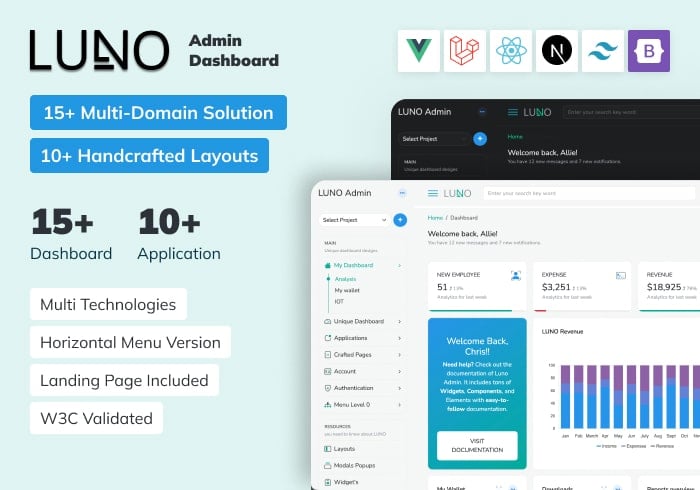
Luno – React, Vue, Laravel, Tailwind, Nextjs Admin Dashboard Template
ReactJs, Vue.js, Laravel, Bootstrap, Tailwind, NextJs
$19.00

ALUI | Bootstrap 5, ReactJS, Angular, VueJS, Laravel Admin Template
ReactJS, Angular, Vue.js, Laravel, Bootstrap
$19.00